When you click on links to various merchants on this site and make a purchase, this can result in this site earning a commission. Affiliate programs and affiliations include, but are not limited to, the eBay Partner Network.
Description
Please Note:
This itemonly shipped toThe United States, If you are buyers fromUnited States,Only take2-5working dayfor delivery.
If you need toreturn the item for some reasons, please contact usvia messageat the first time toget theRMA#,and return addressinstead ofsending back directly without permission,thank you!
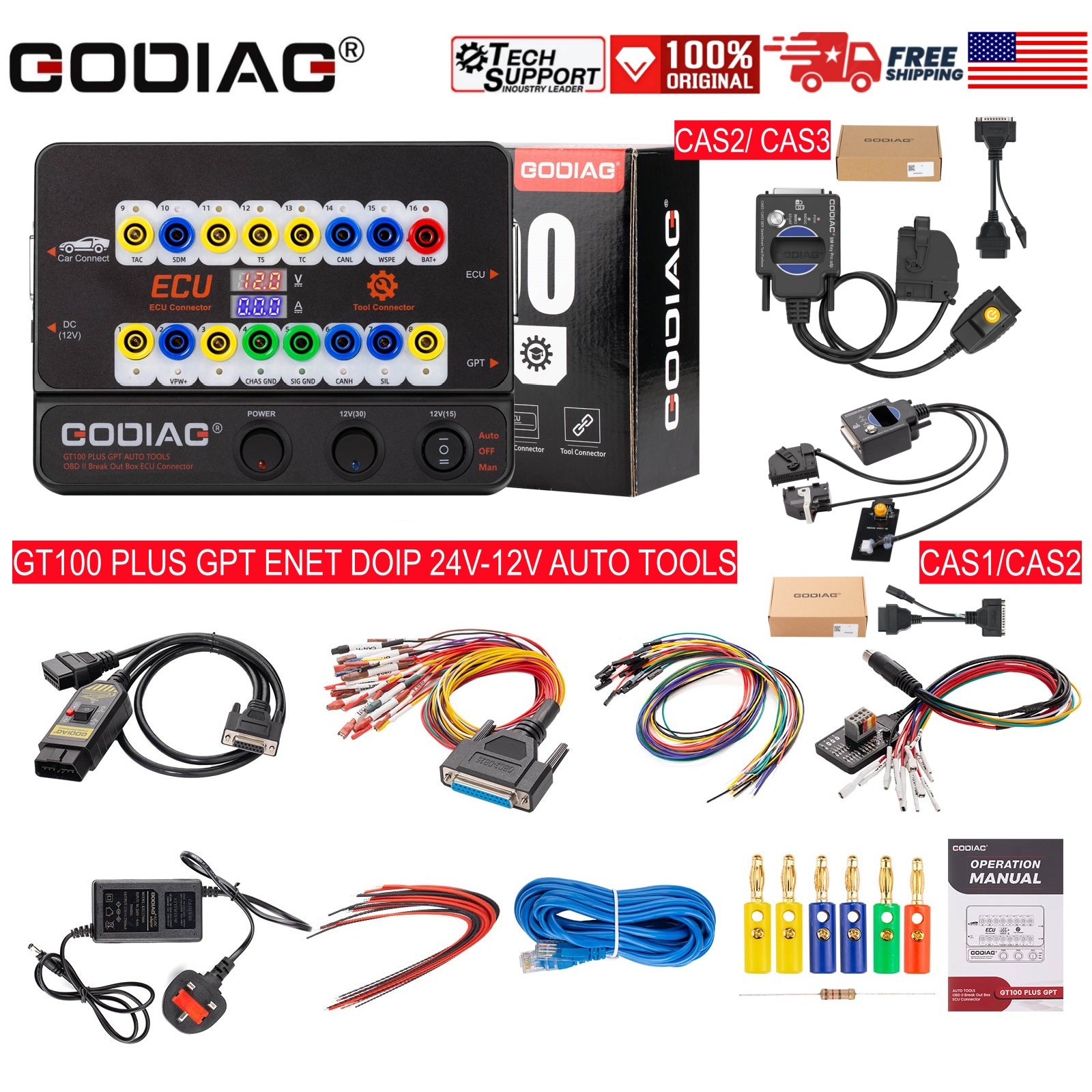
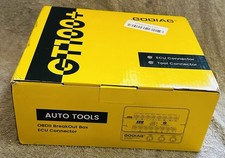
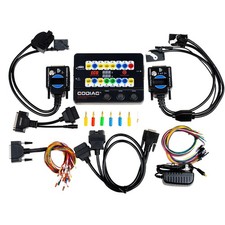
ITEM 1: GODIAG GT100 PLUS GPT ENET DOIP 24V-12V AUTO TOOLS OBD II Break Out Box E-C-U Connector
GODIAG GT100 PLUS GPT Introduction:GODIAG GT100 PLUS GPT is a testing platform for OBDII protocol communication detection and E-C-U maintenance / diagnosis / progarmming / coding. GT100 PLUS has a voltage and current display which is convenient for maintenance engineers to judge the current working status of E-C-U.It can convert the car OBD2 interface into 16 pin for signal detection. It can be connected to the single modules or multiple modules of the vehicle. It can also be connected with any diagnostic tool to tell whether the car communication is good or not.
It supports the 24v to 12v voltage conversion, DOIP-ENET communication andGPT to read and write E-C-U data.
It can also supply power to the car when you change the battery to avoid the vehicle control module data being lost, automatically loc-ked, the key remote control fails and the fault light turns on.
The product uses CANH and CANL shielded twisted cables, which can resist electromagnetic interference and make communication more stable.
Product Function Comparison Among SO537-C(GT100 Plus), SO537-B(GT100+) and SO537(GT100)
ModelSO537-C(GT100 Plus GPT)SO537-B(GT100+)SO537(GT100)24v-12v voltage conversion√××DOIP ENET Diagnostics√××GPT connection method to read and write E/CU√××Connect CAS1/CAS2 Mech-Key Test Platform And CAS2 CAS3 SER Semi Smart Test Platform airbag 100K CANBUS communication√××Voltage and current value display function√√×Pin 1, 9, 3, 11 12, 13, 8Display CANBUS communication.√√×Pin 1, 9, 3, 11 12, 13, 8Display K-Line Pwm Vpw+ KWP 2000 protocol communication.√√√PIN2. 10 VPW PIN6.14 CANBUS PIN 7.15 k-line√√√Check whether tools can send communication signals.√√√Program key for VW, Porsche, Mitsubishi etc with all keys lost√√√Communicate with a single E-C-U on bench√√√Replace the auxiliary power supply for the battery√√√Convert the OBD1 port of special truck to the standard OBD2√√√Test whether the programmed key works with CAS4√√√Work with BMW FEM/BDC Progarmming Test Platform√√√
Product Functions:1.Use GPT to read and write E-C-U with devices (such as PC-MFLA-SH, K-E-S-SV2)Support GPT to read and write data without disassembling the E-C-U.
Supports OBD2 BENCH [CAN bus & K-Line]
Supports GPT BOOT CNF1
2. Check OBDII diagnostic interface Communication Status and Display Voltage
By connecting the vehicle and diagnostic tool via OBDII, Godiag GT100 PLUS GPT's LED will indicate whether the OBDII diagnostic interface has a good communication with the car. It monitors the voltage of vehicle's OBDII interface and display it in real time. If it is less than 11V, please stop the diagnosis and programming to avoid data loss/ module l-ocked/ the vehicle being unable to start. Itsupports OBD2 BENCH full protocols.
1. Manufacturer custom2. SJE1850 wire3. Manufacturer custom4. Power grounding5. Signal grounding6. SAEJ2284《CAN》high7. ISO9141-2&iso, DIS4230-4K wire8. Manufacturer custom9. Manufacturer custom10. SJE1850 wire《bus->11. Manufacturer custom12. Manufacturer custom13. Manufacturer custom14. SAEJ2284《CAN》low15. ISO9141-2 & ISO/DIS 4230-4L wire16. Car battery positive3. Support DOIP-ENET DiagnosticsSupport DOIP-ENET communicationSupport diagnostic progarmming and coding for BMW Benz, for V-ol-ksw-a-gen, Audi and other vehicles that support DOIP protocol. [no software is provided.]Can be used for diagnostic progarmming and coding of forLand Rover, for VOLVO, and Geely vehicles that support DOIP communication. [no software is provided.]
4. 24V to 12V Voltage ConversionConvert the 24v voltage of the diagnostic interface of heavy trucks, light trucks, pickups, etc. into 12v voltage that can be used by diagnostic equipment.
5.) Connect with A-i-r-b-a-g E-C-U
6.) Used to check whether the diagnostic / progarmming / coding tool can send communication signals.
7.) E-C-U connection: single module connectionGODIAG GT100 PLUS GPT, connected to a single E-C-U module, is convenient for a user to do the single-module diagnosis and progarmming.
8.) GT100 PLUS GPT progarm ke-y for VW, Porsche, Mitsubishi etc with all keys lost - activate the instrument or immobilizer module.
A. To progarm for V.W 4th generation / 5th generation Lost all ke-ys (for example: new A6L Touareg A4 Q5 A7), please use GT100 PLUS GPT to short-circuit banana connector PIN 16----PIN 1 to lit up the dashboard, aft that use the ke-y progarmmer tool to connect with the female adapter of GT100 PLUS GPT+ for data collection. Some vehicle dashboards won't be lit up, but data can also be collected, for example: A6L Q7.B. To replace the engine E-C-U of for Toyota or to use some ke-y progarmmer to progarm for Toyota when all ke-ys lost, it needs to short-circuit PIN13-PIN4C. To progarm Mitsubishi ke-y with all ke-ys lost or to set OBDII when all remote ke-y lost, please short-circuit PIN1-PIN4.D. To progarm Porsche Cayenne ke-y with all ke-ys lost or with all remote ke-y lost, please short circuit PIN3-PIN7.
9.) Voltage and Current Value Display functionOn bench connect the E-C-U module by using the banana connector or db25 dedicated E-C-U interface, and Godiag GT100 Plus GPT will display the voltage / current value.The user can intuitively see the current status of the E/CU. There is no current display or The actual displayed current is inconsistent with the engineer's expected current, then you can immediately check whether the wiring is wrong, if the wiring is correct, he can judge that the E-C-U may be broken, so there is no need to perform diagnostic communication and can directly repair the E-C-U.If it shows too much current, then you can also determine if the cable is wrongly connected or the E-C-U is broken.
10.) GT100 PLUS GPT Pin 1, 9, 3, 11 12, 13, 8 [corresponding to the yellow banana connector on the machine], these non-standard obd2 protocol interface may display CAN BUS or K-Line communication protocol.GT100 PLUS GPT can only display K- Line Pwm Vpw+ KWP 2000 protocol. GT100 PLUS GPT will display CANBUS K-Line Pwm Vpw+ KWP 2000 protocol communication.
11.) Quickly communicate with a single E/CU on bench by connecting with the E-C-U diagnostic / progarmming tool.[Which allow the engineers or technicians to complete the job on bench, also keep away the risk of data loss in other modules when directly testing on the vehicle.]
12.)Multiple vehicle E-C-U module connecting.[It’s aimed at solving the problem of engineers and technicians who need to connect multiple E-C-U during progarmming a module, such as connecting to multiple E-C-U modules for ke-y progarmming]
13.) Replace the auxiliary power supply for the battery- uninterruptible power supply connecting mode. [Since there’s failure or missing antitheft remote control data of some vehicles when the battery is dismantled, the auxiliary power supply aims at supplying power to the vehicle through GT100 PLUS GPT before replacing the battery to sustain the power supply to the vehicle. It guarantees the vehicle E-C-U is power connected during repl-acement of the battery.]14.) The OBD2 cable ofGT100 PLUS GPT is as long as 1.4 meters, which will solve the problem that the diagnostic tool cable is not long enough or the vehicle diagnostic port is too narrow to connect.Please connectGT100 PLUS GPT first, turn on the power switch and you will see the voltage on the screen which can tell whether the power supply of the vehicle is normal. [Which keep away the risk of burning out the diagnostic & progarmming tool due to the modified vehicle OBD2 port]15.) For old OBD1 vehicles or special diagnostic port, please connect GT100 PLUS GPT through the banana plug and DB25 jumper.The OBD1 diagnostic port or special diagnostic port can be transferred to the standard OBD2 diagnostic port.16.) GT100 PLUS GPT will convert the OBD1 port of special truck to the standard OBD2 diagnostic port according to the protocol.
17.) Work with CAS1/CAS2 Mech-Key Test Platform
18.)Work with CAS2 CAS3 SER Semi Smart Test Platform
19.) For BMW-CAS4/CAS4+Progarmming Test Platform, it’s used to test whether the progarmmed ke-y works with CAS4 normally
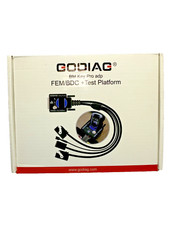
20.)For BMW FEM/BDC Programming Test Platform21.) More connectors and dedicated modules are under development, please wait...
Product portOBDIIWorking voltageDC 9V-24VWork and power0.5-0.6WAdapter powerInput AC100v-240v, Output DC12.5V 2.5AOperating temperature range-20 to 70 °C ( -4 to 158 °F )Storage temperature range-40 to 85 °C ( -40 to 185 °F )DimensionL: 23cm, W: 18cm, H: 7cm
Package includes:1pc x Host
1pc x GPT connecting cable
1pc x Ethernet cable1pc x OBD 2-in-1 extension cable1pc x Colored jumper cable1pc x Power supply 12V1pc x Resistance 120 ohm6pcs x Banana plug24pcs x Wire accessories, Dupont 2.54mm connector female pins
1pc x Manual
ITEM 2:GODIAG Fit For BMW CAS1/CAS2 Mech-Key Test Platform Detect CAS & Key Synchronization Solder-free Matching CAS Data Read, Write and Progarm
GODIAG BMW CAS1/CAS2 Mech-Key Test Platform is a dedicated device developed for BMW lo-cksmiths, maintenance engineers and CAS1 / CAS2 progarmming engineers. It can cooperate with the key progarmming devices like Xhorse Key Tool Plus Pad / Xhorse vvdi 2 / bmw vvdi bim tool / Autel im608 / CGDI BMW / Lonsdor devices, OBDSTAR devices, etc., to perform all key lost matching or key addition operations. Please note that this product is only suitable for mechanical keys.
Note:GODIAG BMW CAS1/CAS2 Mech-Key Test Platform does not supportsemi-intelligent smart key CAS2 and cannot be used with diagnostic equipment or with GT100, GT100+. If necessary, please purchase a semi-intelligent smart key detection platform for the semi-intelligent smart key CAS2.
Product Features:
1. Detect CAS and key synchronization
2. Solder-free matching CAS1/CAS2 mechanical key
3. CAS data reading, writing and progarmming
4. All keys lost /adding keys matching
5. CAS key data backup
6. CAS module function judgment
Product Functions:
1.Check if the CAS1/CAS2 module and mechanical keys are synchronized.
2.Cooperate with the key progarmming devices like Xhorse Key Tool Plus Pad / Xhorse vvdi 2 / bmw vvdi bim tool / Autel im608 / CGDI BMW / Lonsdor devices, OBDSTAR devices, etc.,to perform all key lost matching or key addition operations.
3.CAS1/CAS2 module diagnostics
4.CAS1 / CAS2 module progarmming
Synchronous detection of module and key:
Check whether the CAS2 module and mechanical key can be synchronized:
Step 1:Connect the CAS2 module according to the connection diagram
Step 2:Put the key into the key sensing area
Step 3:Connect the power supply.
Step 4:Press the start switch (press the start switch once to turn on the CAS power and automatically detect whether the key and CAS are synchronized, press it again to turn off the CAS power and turn off the detection).
Synchronization judgment method: when the detection start switch is pressed, the Power indicator light will light up. If the key is synchronized with CAS2, the CAS module key induction coil indicator light will flash regularly. If it is an unsynchronized key, the key induction coil indicator light will only flash quickly for 2 seconds. [If the key is synchronized with the CAS module, the IMMO synchronization detection indicator light will light up and the internal buzzer of the machine will sound. If the key is not synchronized with the CAS module, the IMMO synchronization detection indicator light will not light up and the internal buzzer of the machine will not sound.]
Step 5:Press and hold the analog start/stop button, the IMMO synchronization detection indicator light will go out after 3 seconds. The INDUC sensor indicator light also goes out. After releasing, the IMMO synchronization detection indicator light will light up. The INDUC sensor indicator light flashes.
CAS1 module and key synchronization detection:
1.Connect the device according to the connection diagram. Please use 12V 2.5A for power supply, otherwise the CAS1 module cannot be driven. [Do not connect the CAS2 module]
2.Press the start switch [you can see the START-STOP indicator light on the CAS lights up]
3.Insert the key into CAS1
4.Press the CAS1 key. If the key is synchronized with the CAS1 module, the CAS1 key will be lo-cked. It will automatically exits if the key is not synchronized.
CAS2 mechanical key module key progarmming and module progarmming identification diagnostic connection demonstration:
The following uses Xhorse vvdi2 device to perform BMW CAS2 mechanical key progarmming and matching operations:
1.Connect the CAS2 mechanical key module and key progarmming diagnostic equipment according to the connection diagram. Press the start button to provide power to CAS2.
2.Select “key learn—CAS/EWS Information---Connect-- Read EEPROM”. [Note: Take away the key and do not perform synchronization detection between the key and the CAS2 module before connecting to read data. Just press the start button to power the CAS module. If the CAS module detects a synchronized key, then the connected device cannot read the data. ]
Save to File...
If you want to read the CAS mileage or modify the CAS mileage, please operate the corresponding menu“Read KM”.It can also read CAS code-DME.
3.Key progarmming steps: select “key learn—CAS Key Learn ---Connect” , select “Get Key Info” and “Save Key Info”.
4. Select an unused key position, be sure to select the “prepare dealer key with Progarmmer” menu, and use the VVDI2 key Progarmmer to generate the key. If the key is placed in the key sensing area of the GODIAG BMW CAS1/CAS2 Mech-Key Test Platform, the dealer key will not be generated.
5. After progarmming the dealer key, place the key into the Godiag BMW CAS1/CAS2 Mech-Key Test Platform sensor port for testing. For test steps, please refer to module and key synchronization detection.If the new key detection is out of sync, please synchronize CAS and DME or synchronize CAS and ELV. Reconnect the device and module and press the button‘Check the start switch’ If the IMMO light cannot light up, enter the VVDI2 menu “Key Learn—CAS/EWS Information—Connect—Synch DME-CAS or Synch CAS-ELV” for synchronization operation. [When performing synchronization, the key must be placed in the key sensing progarmming area of the VVDI2 device.]
The following uses the Xhorse vvdi2 device to perform the BMW CAS1 key progarmming and matching operation:
1.Connect the CAS1 module and the key progarmming diagnostic device according to the connection diagram. Press the START switch on the Godiag BMW CAS1/CAS2 Mech-Key Test Platform and the POW indicator light will light up, indicating that the test platform has output power. The indicator light on the CAS1 mode will also light up. [Please use 12V 2.5A power supply, otherwise it will not be able to drive the CAS1 module]
2.Select “key learn—CAS/EWS Information---Connect-- Read EEPROM”. [Be careful not to insert the key. If the data cannot be read, please reconnect and turn on the platform power.] [Note: Do not perform a synchronization test between the key and the CAS1 module, otherwise the connection or data reading will not be possible. If a synchronization test is performed, please disconnect the power supply and reconnect the device and CAS module.]
Save to File...
If you want to read the CAS mileage or modify the CAS mileage, please operate the corresponding menu "Read KM". It can also read CAS code-DME.
3.Key progarmming steps: select “key learn—CAS Key Learn----Connect”. Select “Get Key Info” and “Save Key Info”.
4.Select an unused key position, be sure to select the “prepare dealer key with Progarmmer” menu, and use the VVDI2 key Progarmmer to generate the key. [Because the CAS1 module key identification socket or GODIAG BMW CAS1/CAS2 Mech-Key Test Platform key sensor cannot generate dealer keys.]
5. After the dealer key is successfully Progarmmed, place the key into the CAS1 module key module socket for testing. For test steps, please refer to the CAS1 module and key synchronization detection steps.If the IMMO light cannot light up, enter the VVDI2 menu “Key Learn—CAS/EWS Information—Connect—Synch DME-CAS or Synch CAS-ELV” for synchronization. [When performing synchronization, the key must be placed in the VVDI2 device key sensing area.]
Package Includes:
1pc x GODIAG For BMW CAS1/CAS2 Mech-Key Test Platform
1pc x OBD2 to DB25 Cable
ITEM 3:GODIAG CAS2 CAS3 SER Semi Smart Test Platform Detect CAS & Key Synchronization Solder-free Matching CAS Data Read, Write and Progarm
Please note:that it does not support use with Autel devices
GodiagCAS2 CAS3 SER Semi Smart Test Platform is a dedicated device developed for BMW lo-cks-miths, maintenance engineers and CAS2 / CAS3,CAS3+ CAS3++ progarmming engineers. It can cooperate with the key progarmming devices like Xhorse Key Tool Plus Pad /Xhorse vvdi 2 / bmw vvdi bim tool / CGDI BMW / Lonsdor devices, OBDSTAR devices, etc., to perform all key lo-st m-atching or key addition operations. This product is suitable for magnetic semi-intelligent or smart keys.
Note:GodiagCAS2 CAS3 SER Semi Smart Test Platform does not support mechanical key CAS2 and cannot be used with diagnostic equipment or with GT100 GT100+.
Product Features:
5.CASkeydatabackup
Product Functions:
1.Check wheteher CAS2 / CAS3, CAS3+ CAS3++ modules and magnetic semi-intelligent/smart keys are synchronized.
2.Cooperate with the key progarmming devices like Xhorse Key Tool Plus Pad / Xhorse vvdi 2 / bmw vvdi bim tool / CGDI BMW / Lonsdor devices, OBDSTAR devices, etc., to perform all key lo-st ma-tching or key addition operations.
3.CAS2 / CAS3, CAS3+ CAS3++ module diagnostics
4.CAS2 / CAS3, CAS3+ CAS3++ module progarmming
Module and key synchronization detection:
Check whether the CAS2 / CAS3, CAS3+ CAS3++ module and the magnetic semi-intelligent smart key can be synchronized:
Step 1:Connect the CAS2/CAS3, CAS3+ CAS3++ modules according to the connection diagram.
Step 2:Put the key into the key sensing area.
Step 3:Connect the power supply and the corresponding power indicator light will light up. The start/stop button light is on. The coil sensor light will f-lash. [Indicates that the module can send out the key sensing signal normally. If the key and the module are synchronized, the light will f-lash regularly or stay on. If the key and module are out of sync, the fl-ashing will be irregular and will stop after one minute.]
Step 4:Press the start switch. [If the key is synchronized with the CAS module, the IMMO synchronization detection indicator light will light up and the internal buzzer of the machine will sound. If the key is not synchronized with the CAS module, the IMMO synchronization detection indicator light will not light up and the internal buzzer of the machine will not sound.]
Step 5:Press the analog start and stop button, the IMMO synchronization detection indicator light will go out after 3 seconds. Press the analog start/stop button again and the IMMO synchronization detection indicator light will light up.
The following uses Xhorse vvdi2 device to perform BMW CAS2/CAS3, CAS3+ CAS3++ semi-intelligent/smart key progarmming and mat-ching operations:
1.Connect the CAS2/CAS3, CAS3+ CAS3++ module and the key progarmming diagnostic device according to the connection diagram.
2.Select “key learn—CAS Key Learn---Connect”.
3.After successfully identifying the CAS information, select “Get Key Info” and “Save Key Info”.
4.Select an unused key position, be sure to select the “prepare dealer key with progarmmer” menu, and use the VVDI2 key progarmmer to generate the key. If the key is placed in the GODIAG CAS2 CAS3 SER Semi Smart Test Platform key sensing area, the dealer key will not be generated.
5.After progarmming the dealer key, put the key into the Godiag CAS2 CAS3 SER Semi Smart Test Platform induction port for testing. For test steps, please refer to “Synchronous Detection of Module and Key”.If the IMMO light cannot light up, enter the VVDI2 menu “Key Learn—CAS/EWS Information—Connect—Synch DME-CAS or Synch CAS-ELV”. [When performing synchronization, the key must be placed in the key sensing area of the VVDI2 device.]
Package Includes:
1pc xGODIAG CAS2 CAS3 SER Semi Smart Test Platform
1pc x OBD2 to DB25 id=\"tongtool-tab-li-3\">Terms
Contact UsWe accept Alipay 、PayPal 、Google Pay 、VISA、Apple Pay 、Credit cards.
All PayPal Payments must be Confirmed ( Shipping and billing addresses must match )
Payment must be made within 48hrs of the sale end time.
If you don't receive the item after the 15 days, please contact with us freely, we'll try our best to solve the problem for you.
We would ship out the item within 1 business days after the payment is received(except weekends and holidays).Our QC will test all goods carefully before sent out.
Item will be shipped by USPS,UPS or Fedex,it tooks about 2-9 days,exact delivery time varies by shipping methods and your location.We hope it arrive on time but since this is an international delivery, shipping time will be highly depended on the courier company and local customs/duties.Any problem,pls feel free to contact me.
Please note we are not responsible for buyers' Local Customs Taxes.
Warranty:Before shipping out, all goods have been double verified. Our test engineer will check for quality, including check the basic function of the hardware and software, the appearance, the packing, the necessary accessories and power adapter plug standard. After finish quality check,our QC stuff will carefully do quality check and paste our own QC labelin the form of month/date/year on every product.
If you have any using problem of the products which buy from us, Please contact us on message firstly instead of giving us Negative or Neutral response, and we will discuss the issue with you. Via our technical support, we can dig out your using problem via our technical support in most of cases.
Lost Products:If products get lost in delivery, or you still do not get your item for a long time, please contact our customer service timely. We will deal with this ASAP. Please do not deal with it all by yourself, we want you communicate with us. Usually, we will provide tracking number and tracking link timely. If products get lost on the way and we get confirm from couriers, we will arrange redelivery for your products. If you want ship it through express, then you need to pay express shipping fee.
All items will be sent out within 1 business days after payment received. If you are not satisfied with the item you received, pls return it within 30 days for a replacement or money back.
If the item you received has quality problem, You can get full refund or exchange a new good item.
If you order a wrong item from us, you can also return back the wrong item to get partial refund (minus the shipping cost), or exchange a right item, you pay the extra shipping cost.
Customer satisfaction is very important to us and our response rating reflects this satisfaction.
If you have any questions, our Customer Service staffs welcome you to email us.Please email us before leaving any negative response or open any dispute on PayPal.We care about our valued customers, and will always try to help you.
Payment
We accept Alipay 、PayPal 、Google Pay 、VISA、Apple Pay 、Credit cards.
All PayPal Payments must be Confirmed ( Shipping and billing addresses must match )
Payment must be made within 48hrs of the sale end time.
If you don't receive the item after the 15 days, please contact with us freely, we'll try our best to solve the problem for you.
Shipping
We would ship out the item within 1 business days after the payment is received(except weekends and holidays).Our QC will test all goods carefully before sent out.
Item will be shipped by USPS,UPS or Fedex,it tooks about 2-9 days,exact delivery time varies by shipping methods and your location.We hope it arrive on time but since this is an international delivery, shipping time will be highly depended on the courier company and local customs/duties.Any problem,pls feel free to contact me.
Please note we are not responsible for buyers' Local Customs Taxes.
Terms
Warranty:Before shipping out, all goods have been double verified. Our test engineer will check for quality, including check the basic function of the hardware and software, the appearance, the packing, the necessary accessories and power adapter plug standard. After finish quality check,our QC stuff will carefully do quality check and paste our own QC labelin the form of month/date/year on every product.
If you have any using problem of the products which buy from us, Please contact us on message firstly instead of giving us Negative or Neutral response, and we will discuss the issue with you. Via our technical support, we can dig out your using problem via our technical support in most of cases.
Lost Products:If products get lost in delivery, or you still do not get your item for a long time, please contact our customer service timely. We will deal with this ASAP. Please do not deal with it all by yourself, we want you communicate with us. Usually, we will provide tracking number and tracking link timely. If products get lost on the way and we get confirm from couriers, we will arrange redelivery for your products. If you want ship it through express, then you need to pay express shipping fee.
Returns
All items will be sent out within 1 business days after payment received. If you are not satisfied with the item you received, pls return it within 30 days for a replacement or money back.
If the item you received has quality problem, You can get full refund or exchange a new good item.
If you order a wrong item from us, you can also return back the wrong item to get partial refund (minus the shipping cost), or exchange a right item, you pay the extra shipping cost.
Contact Us
Customer satisfaction is very important to us and our response rating reflects this satisfaction.
If you have any questions, our Customer Service staffs welcome you to email us.Please email us before leaving any negative response or open any dispute on PayPal.We care about our valued customers, and will always try to help you.
powered by