When you click on links to various merchants on this site and make a purchase, this can result in this site earning a commission. Affiliate programs and affiliations include, but are not limited to, the eBay Partner Network.
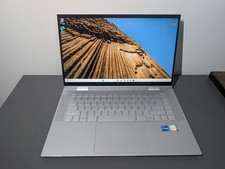
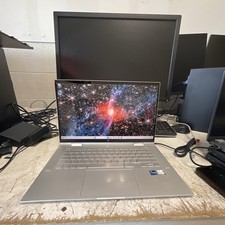
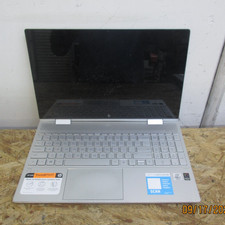
Selling a used HP Envy x360 16\" (16-ac0023dx).
I originally bought it as a \"no-POST\" unit listed as \"for parts or not working,\" and I got it to POST. The unit didn\'t come with an SSD so I bought a 512GB M.2 NVME SSD (this month), installed Windows 11, installed the basic necessary drivers, and tested the hardware.
Everything works—touchscreen, 2-in-1 functionality, keyboard, keyboard backlight, trackpad, mic, speakers, and ports—except the webcam. It doesn\'t show up in Device Manager, and doesn\'t get recognized by any apps or websites. This also means Windows Hello facial recognition doesn\'t work. Very likely a full-on hardware defect. Exact cause of webcam failure is unknown.
Screen is in near-flawless condition with no noticeable scratches or discoloration.
Hinges work perfectly.
Battery health is ~90% per PowerShell Battery Report test.
No charger included, but any 65W USB-C charger will work.
Defects:- Webcam (as mentioned above)-Normal cosmetic wear on keys and trackpad from prior use- Mild discoloration of rubber feet from prior use-Various forms of wear (marks/scratches/scuffs/smudges) on top lid, bottom panel, sides, hinges, and keyboard deck / palmrest area- Small dent to top left region of lid (see image 11)-Slight deformity to right-sided USB-A port which doesn\'t affect functionality (see image 12)-Minor protrusion of bottom panel near left hinge which doesn\'t affect functionality (see image 13)-Front left rubber foot partially peeled off (see image 14)-If you perform a hard reset (long-pressing the power button for 15-30 seconds), the laptop will take longer to boot, and a \"CMOS checksum is invalid\" message will show up, which will go away after restarting the device; this does not affect regular use/functionality (see image 15)