When you click on links to various merchants on this site and make a purchase, this can result in this site earning a commission. Affiliate programs and affiliations include, but are not limited to, the eBay Partner Network.
Е19
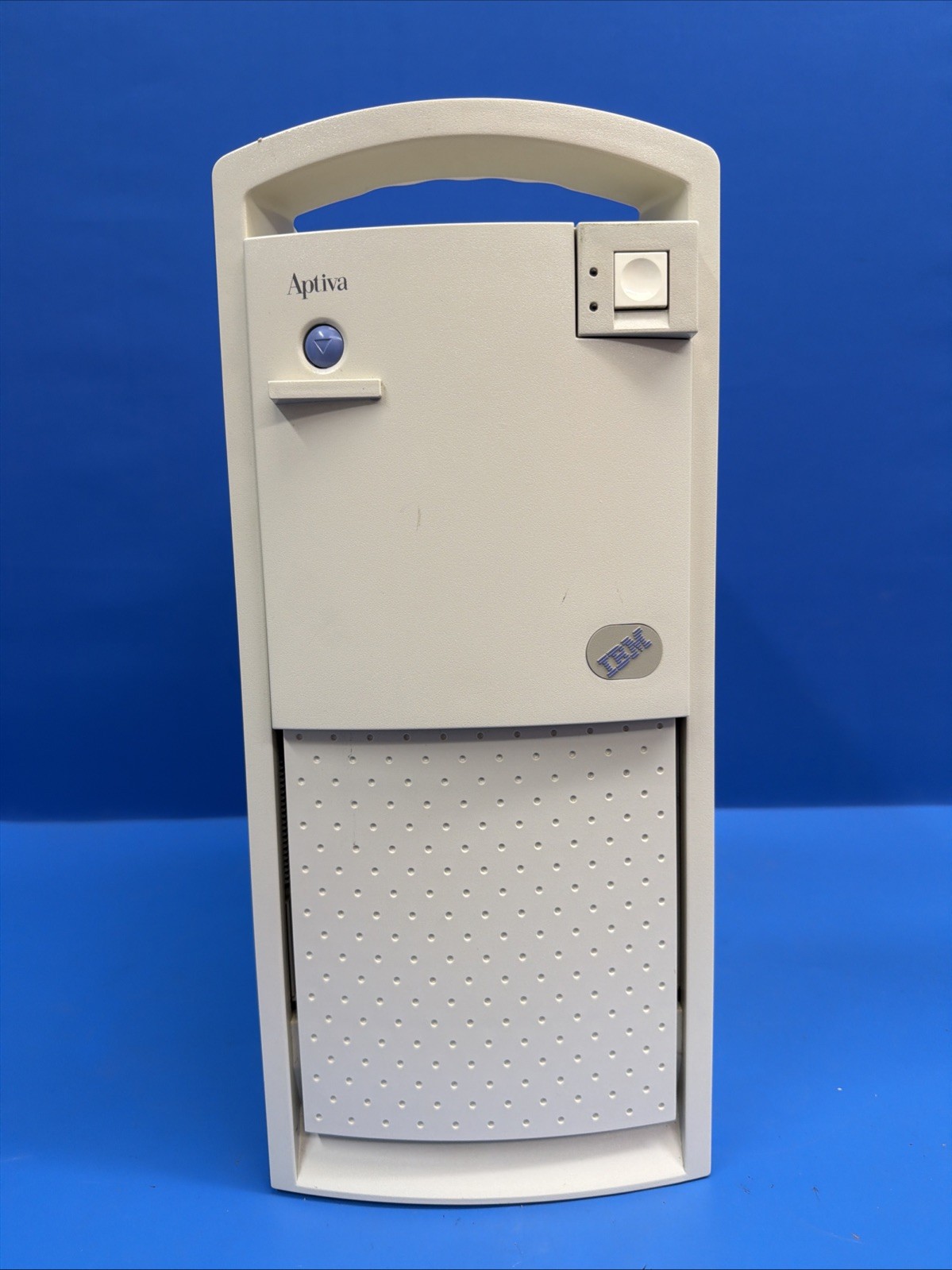
Vintage IBM Aptiva Model 2176-C23 desktop computer from 1996.
The computer powers on, enters the IBM SurePath Setup Utility, recognizes the installed hard drive, and successfully boots from the hard drive into SunOS 5.7 / Solaris 7. It reaches the graphical Sun Microsystems login screen, as shown in the photos.
The username and password are unknown, so the computer was not tested beyond the graphical login screen.
BIOS-REPORTED SPECIFICATIONS:
• IBM Aptiva Model 2176-C23
• Intel Pentium 120 MHz processor
• 40 MB system memory
• 1,624 MB hard drive
• Matrox Graphics video controller
• 4 MB video memory
• 1.44 MB 3.5-inch floppy drive
• CD-ROM drive installed
• Serial and parallel ports
• BIOS version BGAUS4E, dated 06/12/1996
• SunOS 5.7 / Solaris 7 installed
VIDEO OUTPUT:
A working video signal was obtained through the separate expansion/discrete Matrox graphics card.
The other VGA connector located in the same rear section as the keyboard and mouse ports did not produce a video signal during testing. It is unknown whether this connector is disabled because the Matrox card is installed, disconnected internally, or has another issue. No attempt was made to diagnose or reconfigure it.
The computer displayed correctly and booted successfully when connected to the working Matrox video output.
STARTUP MESSAGES:
During startup, the computer displays the following POST messages:
• 1780 Hard Disk Error
• 161 Bad CMOS Battery
• 163 Date and Time Incorrect
Despite the hard disk error message, the installed hard drive boots successfully into Solaris 7 and reaches the graphical login screen. However, the condition and future reliability of the hard drive cannot be guaranteed.
The CMOS battery requires replacement. The date, time, and certain BIOS settings may reset after the computer is disconnected from power.
DRIVE TESTING:
• The CD-ROM tray opens when the eject button is pressed. No disc-reading test was performed.
• A floppy disk can be inserted into the 3.5-inch floppy drive and mechanically ejected using the eject button. The drive’s ability to read or write data was not tested.
No additional hardware, ports, audio, networking, or software functions were tested.
A Logitech mouse is included. The mouse was tested and is working properly.
COSMETIC AND PHYSICAL CONDITION:
The computer shows cosmetic wear consistent with age and storage, including discoloration/yellowing, dust, dirt, scratches, scuffs, and other marks.
Some front drive-bay areas are open or uncovered, as shown in the photos. The front access panel opens and closes.
Two screws that normally secure the outer plastic cover to the metal chassis are missing. The computer will be supplied without those two screws.
Interior photographs are included to show the installed components and internal condition. Please carefully review all photos for the exact cosmetic condition, internal configuration, missing hardware, and included components.
The monitor, keyboard, discs, floppy disk, and any other accessories visible during testing are not included.
Due to its age, POST errors, depleted CMOS battery, unknown login credentials, secondary VGA connector condition, missing case screws, and limited testing, this vintage computer is being sold AS IS for restoration, collecting, parts, or repair.
No guarantees are made regarding any untested functions. Please review all photos and contact us with any questions before purchasing.