When you click on links to various merchants on this site and make a purchase, this can result in this site earning a commission. Affiliate programs and affiliations include, but are not limited to, the eBay Partner Network.
⚡Autel Official Shop⚡Renew your device within few hours.💵Buy Original Autel Software update service from us,👍Get Up to 80% off!✉connect with seller!
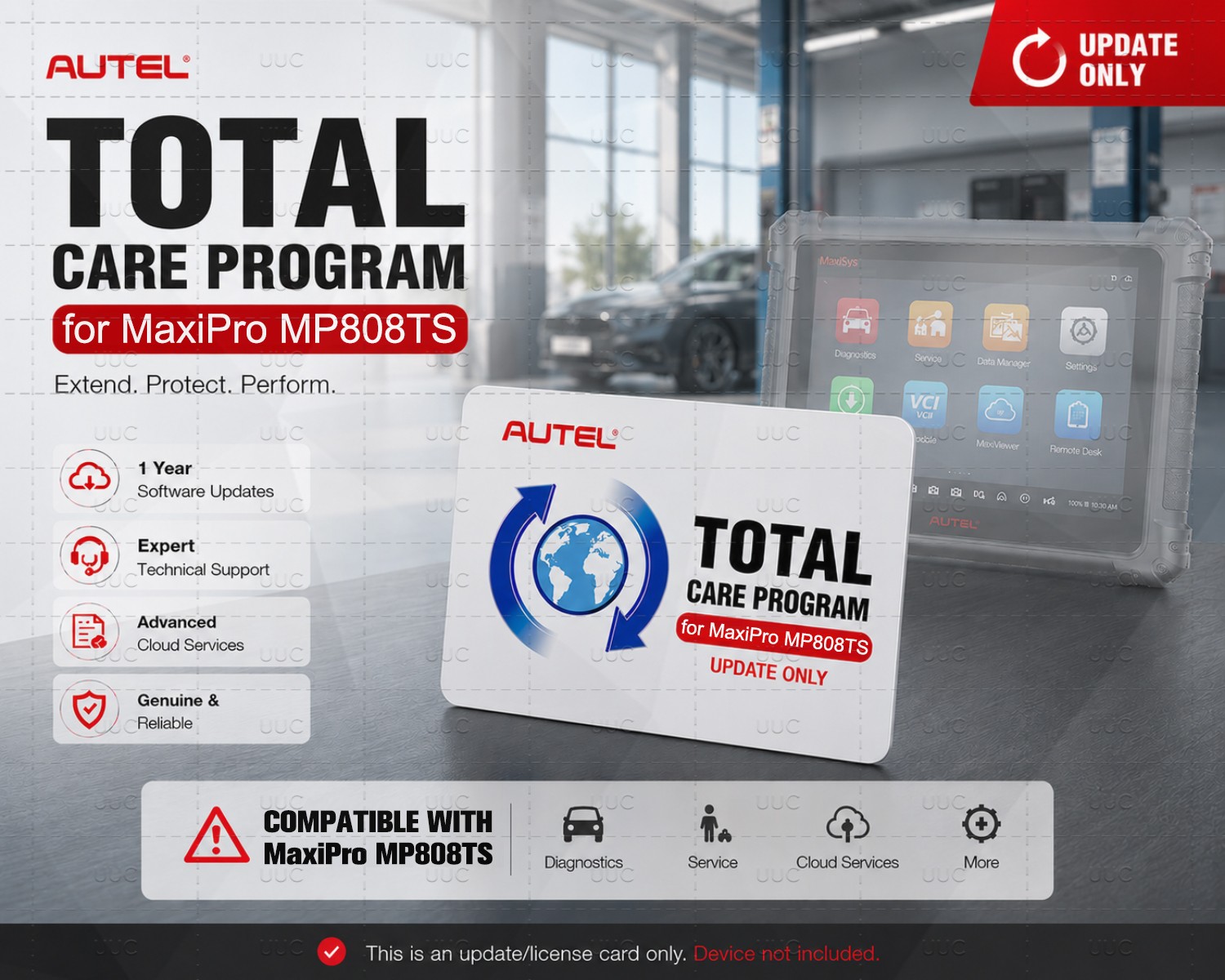
TOTAL CARE PROGRAM
KEEP YOUR SHOP CRUISING WITHOUT SPEED-BUMPS
DescriptionPricing Compatibility ActivationVideos Stay up to date & get more from your Autel tools with the total care program (TCP).
The Autel Total Care Program is much more than an extended warranty plan. When you subscribe to an Autel TCP,
you’ll reduce out-of-pocket device repair costs as well as shop downtime. In addition, you’ll also get to take advantage of new features and functions as they roll out from Autel, including expanded coverage for the latest vehicle makes and models.
Updating your tool coverage is fast and easy and the Autel Total Care Program will keep your tool running and provide you unlimited access to the latest software and functionality for a full year.
TOOL FUNCTION
UPGRADES Get the latest technology from Autel EXTEND TOOL
WARRANTY Eliminate downtime and maximize functionality LATEST VEHICLE
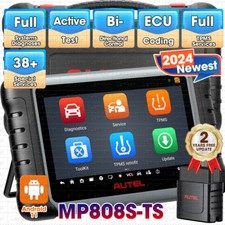
COVERAGE Service all the latest makes and models supported by Autel Need a Complete Diagnostic Solution? In addition to TCP update cards, we also offer a full range of professional Autel diagnostic scanners. Whether you\'re upgrading your current tool or looking for a complete solution, our devices deliver powerful performance, wide vehicle coverage, and reliable long-term support. From entry-level tools to advanced diagnostic systems, we help you find the right scanner for your needs with fast service and expert guidance. If you need any Autel scanner, feel free to contact us and let know — we’ll recommend the best option for you. ✔ Official Autel Products | ✔ Fast Shipping | ✔ Expert Support TCP Tablet Compatibility1. The listed prices are for reference only; our actual prices are much more competitive than MSRP.2. Some models are not listed in the table; if you cannot find the model you need, please contact us.3.Purchasing advice, message us with your SN, and we will provide you with our best offer.
TABLETCOMPATIBLE TCPMSRPOur Price (👍👍👍)MX808S / MX808S / MX808STSMX8081YRUP$129.00$100MK808S / MK808 / MK808STSMK8081YRUP$129.00$100MK808BT Pro / / MK900BT / BTMS906BT1YRUPDATE$695.00$339MS906 TSMS906TS1YRUPDATE$795.00$495MS906 SMS906S1YRUP$395.00$339MS906 PROMS906P1YRUP$595.00$339MS906 PRO-TSMS906PT1YRUP$695.00$495MS906 PRO2-TSMS906P2TS1YR$695.00$395MS906 MAXMS906MAX1YR$595.00$245MS908 and MS908 SMS9081YRUPDATE$895.00$535MK908II and MK908MK9081YRUPDATE$700.00$535MK908P and MK908Pro IIMK908P1YRUPDATE$895.00$585MS908 P and MS908 II / Elite II ProELITE1YRUPDATE$1,295.00$635Ultra Lite / Ultra Lite EVMS909EV1YRUP$1,295.00$665MS909 S2ULTRAS21YRUP$1,695.00$895ULTRA EVULTRAEV1YRUP$1,695.00$869MS906 CVMS906CV1YRUPDATE$795.00$399MS908 CVMS908CV1YRUPDATE$1,295.00$585MS908 CVIIMS908CVII1YR$1,295.00$465MS909 CVMS909CV1YRUP$1,495.00$700IM508 and IM508 SIM5081YRUPDATE$349.00$235IM608 / IM608 PRO / IM608 PROII / IM608S II / IM608 IIIM6081YRUPDATE$895.00$649ITS600 and Series Only: Adds MOTOR TruSpeedMOTORUPDATE$650.00/Compatible with MSUltra & Ultra S2: IA900 Wheel Alignment & ADAS with MS906 S - Ultra S2: Adds ADAS with Ultra S2: IA1000 Wheel Alignment and ADAS with Ultra S2: IA1000 Digital Targets Upgrade CardETARGETACT$3,295.00/Identify the TCP card needed for your toolThis quickstart guide applies to the following Autel tablets: MS909 ADAS, MS906 PRO ADAS, MS906 MAX, MSULTRA, MS919, MS909, MS909 CV, MSULTRA EV, MS909 EV, MS908 CVII, MX800, MX900, ITS600, ITS600 PRO, TS900, IM608 PRO, IM608 PROII, IM508, and IM508 S. Ensure your WIFI is working properly for best results.Tool must be registered first. If you have applied any of the following software upgrades, your tablet’s TCP card won’t change: ADAS Upgrade, Wheel Alignment and ADAS Upgrade, EV Diagnostics Upgrade.Step 1:Touch the SETTINGS icon to open
Step 2:Scroll down to ABOUT on the left menu
Step 3: At the top right side, the correct tool name and number will show, ignore any text after the first “&”.
Example: For this tool, you would use the MaxiSYS Ultra EV 1 Year TCP Card.
Example: For this tool, you would use the MaxiSYS Ultra 1 Year TCP Card.
Example: For this tool, you would use the MaxiSYS Ultra ADAS 1 Year TCP Card.
Example: For this tool, you would use the MaxiSYS Ultra 1 Year TCP Card.
A step-by-step guide is also available below detailing the application instructions from a web browser or your Autel tabletFrom a browser:
Step 1: Sign in to your Autel account
Step 2:Select Redeem on the left
Step 3:Select the Product and verify the serial number of the tool you want to apply the TCP card to
Step 4:Peel off label from back of TCP card and type in the Activation Code
Step 5:Select OK button to confirm
N / A STILL NEED HELP? CONTACT THE AUTEL SUPPORT TEAM CONTACT US
On Jul 8, 2026 at 01:39:35 PDT, seller added the following information: