Heat.net Store Home
|
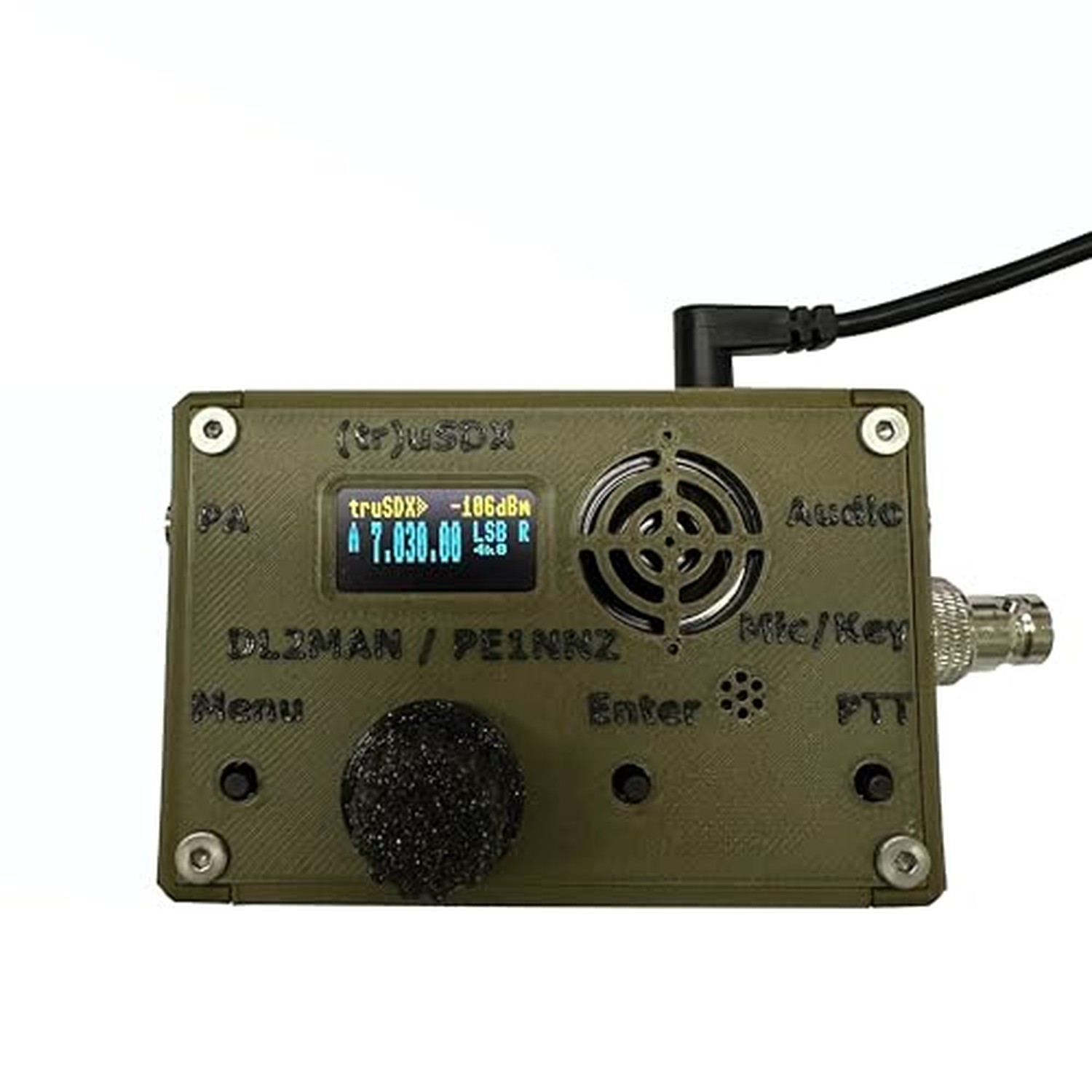
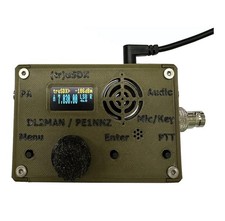
Malahit tr usdx transceiver 5-Band usdx Multimode QRP Assembled with case by ... For Sale

When you click on links to various merchants on this site and make a purchase, this can result in this site earning a commission. Affiliate programs and affiliations include, but are not limited to, the eBay Partner Network.

Malahit tr usdx transceiver 5-Band usdx Multimode QRP Assembled with case by ...:
$177.36
Malahit tr usdx transceiver 5-Band usdx Multimode QRP Assembled with case by PE1NNZ and DL2MAN Old Army Green Product Details - Brand: Malahit
- Color: army green
- Number of Channels: 2
- Special Feature: Lightweight
- Frequency Range: 3.5-14 MHz
- Talking Range Maximum: 1000 kilometer
- Voltage: 13.8 volts
- Water Resistance Level: Not Water Resistant
- Product Dimensions: 2"D x 4"W x 2"H
- Item Weight: 230 g
- Number of Channels: 2
- Additional Features: Lightweight
- Frequency Range: 3.5-14 MHz
- Talking Range Maximum: 1000 kilometer
- Voltage: 13.8 volts
- Water Resistance Level: Not Water Resistant
- Compatible Devices: RM
- Impedance: 50 ohm
- Connectivity Protocol: RM
- Tuner Type: UHF
- Item Dimensions D x W x H: 2"D x 4"W x 2"H
- Item Weight: 230 g
- Brand: Malahit
- Model Number: usdx tr usdx transceiver 5-Band
- Built-In Media: Cable, User Manual
- Unit Count: 1 Count
- Number of Packs: 1
- Manufacturer: Malahit Tech
- Warranty Description: 1 year warranty
- Color: army green
- LO Bands:80/60/40/30/20m,Mainboard:1.2 version,RF Board:1.0 version
- Assembled With Case:Out of box,Assembled with 3D printed case (army green),raised lettering.
- Already Bootloader:Mainboard have been finished the Bootloader and programed the firmware.The serial number has been attached to the bag inside the box.
- Call Sign:If you want to program your call sign, you need to read and fully understand the instructions which is in the package.
- Excluding Battery Case:If you want, you can see the Battery Case on another page.
- Power Jack:3.5mm x 1.35mm.
- Firmware Version:1.Official version:programming: No spectrum display.2.Beta version programming: Spectrum display, but the main menu will have slightly fewer other functions than the official version.
- No serial Number on the OLED:We have finished the Bootloader, so the serial number will not be displayed on the OLED.
- How to find the serial number: The plastic bag in the package has a serial number label.If lose the serial number sticker, you can enter the 18 digit "0" during programming to find the original serial number. (000000 if unknown)
Overview:The mainboard is version 1.2 and the RF board is version 1.0. In thisversion change, only the mainboard has been changed to 1.2, while the othersremain unchanged.1.(tr)uSDX is the successor of the uSDX Project. It´s theResult of the Collaboration between PE1NNZ and DL2MAN. The design was intendedas an easy to build (pre-assembled) Kit.2.The (tr)uSDX is a 5-Band / MulitmodeQRP Transceiver in Pocket Format (90x60x30mm – 140g). It features a highlyefficient Class E PA and Supports CW/LSB/USB and AM/FM. Right now it covers 80/60/40/30/20m and in Future there will be support for 17/15/12/10m aswell.3.It is supplied with an OLED Display, onboard Mic, (tiny) onboardspeaker and for improvised QSO onboard PTT Key can be used as emergency CWKey.4.Further on, the (tr)uSDX has a (Micro)USB CAT and Programming Interface,and while it produces typically 5W @ 13,8V Power Supply, it can create 0,5WOutput from 5V USB Supply alone.5.It is supplied with OnBoard SWR Bridge andVoltage/Current measurement Hardware, to help in tuning and operation.Thanksto DL2MAN and PE2NNZ Contribution. We are approved by originaldesigner.Features:1.Lo Bands:20m/30m/40m/60m/80m,Out of box,Assembled with 3Dprinted case (army green),raised lettering.2.Aboat Bootloader:Mainboard havebeen finished the Bootloader and programed the firmware,If you want your callsign to appear on your OLED, then you need to program the call sign byyourself.3.How to program the call sign? Required equipment: 1)tr usdx(serialnumber is on the bag)2)computer (download AVR-Dudess software oncomputer)3)usb cable.(Please refer to the instructions in the package fordetails)Note:If you want to reprogram/upgrade the firmware (or program yourcall sign to the firmware), you need to follow these steps :①Download thefirmware(DL2MAN\'s page)②Enter the serial number (the serial number is in thepackage) and download the firmware.③ Install the USB Driver for the CH340driver and AVR-Dudess software (if the computer prompts that the AVR-Dudesscannot be installed), please use another computer to install it.④Restart thecomputer and use USB cable to connect the mainboard (the computer will make ading-dong sound at this time, indicating that the CH340 driver software hasbeen installed successfully. If not, it may be that the USB cable has no datatransmission function, try to use another USB data cable).⑤ Open the AVR-Dudess software, and then program the firmware. Please follow the positioncircled in the picture below, set up the software, and then program.OpeningDevice Manager under Windows will show the assigned COM-Port(first imagebelow)How to use the RESET function? Step 1: Hold down the encoder (do notrelease your hand), then turn on the power. Step 2: After displaying the\"restart\" message on the OLED, release your hand. The above steps willcomplete the reset.
|
|
Other Related Items:
Related Items:
Malahit tr usdx transceiver 5-Band usdx Multimode QRP Assembled with case by ... $177.36
Malahit tr usdx transceiver 5-Band usdx Multimode QRP Assembled with case by ... $207.56
Malahit TR uSDX 5-Band Multimode QRP Transceiver Assembled Army Green $119.99
|