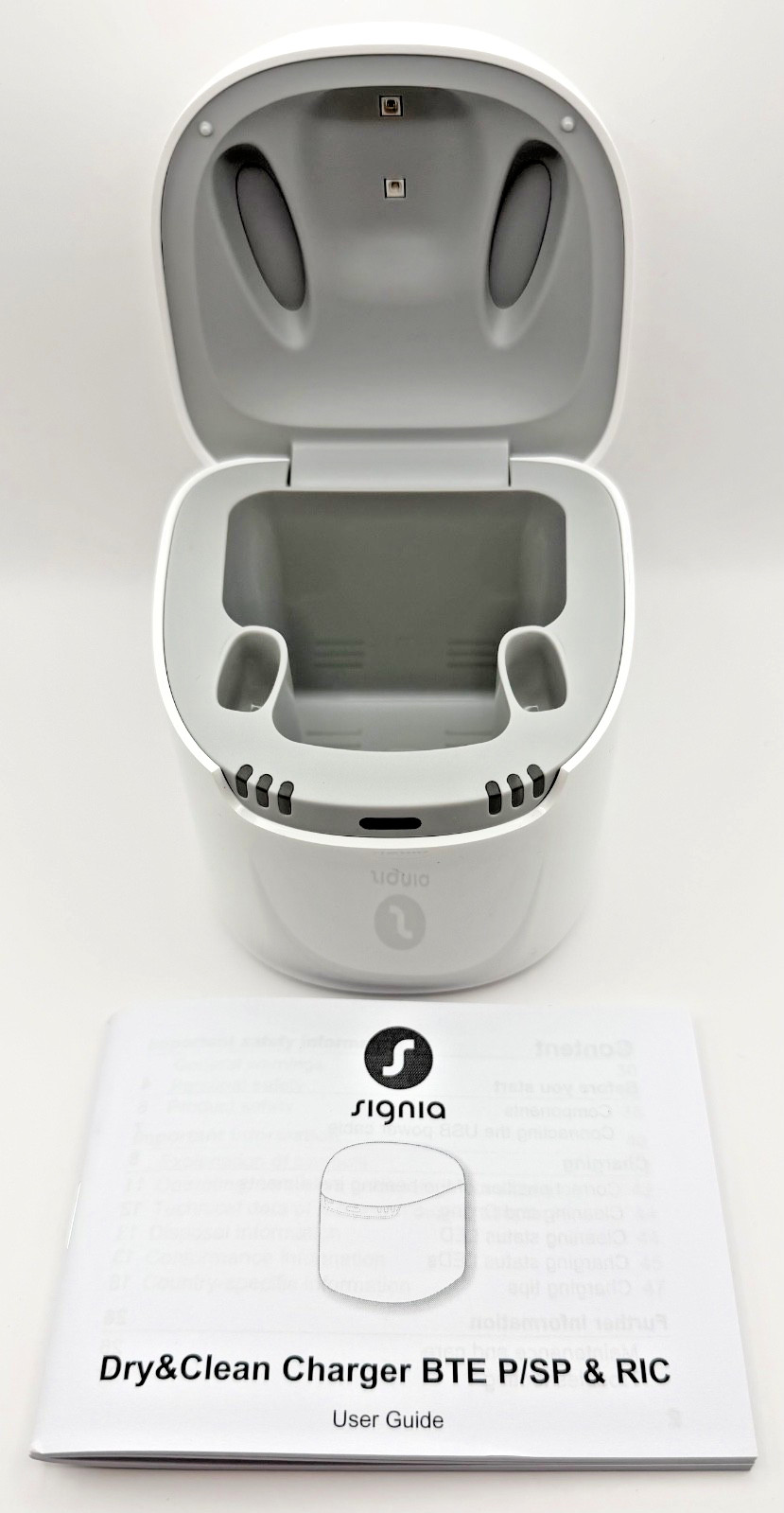
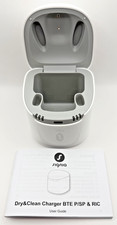
TheSignia Dry & Clean Chargeris a premium charging station designed for compatible rechargeableSigniahearing aids. It combinesthree functions in one unit:
- Battery charging
- Moisture drying/dehumidifying
- UV-C cleaning/sanitizing
It is commonly used with Signia rechargeable hearing aids such as Pure Charge & Go, Motion Charge & Go, and AX/IX platform devices, depending on the charger model.
Main PurposeHearing aids are exposed daily to:
- Earwax
- Skin oils
- Sweat
- Humidity
- Dust and bacteria
The Dry & Clean Charger helps:
- Keep hearing aids fully charged
- Reduce moisture buildup
- Improve hygiene
- Extend hearing aid reliability and lifespan
This is especially useful for:
- People living in humid climates
- Heavy daily hearing aid users
- Users prone to ear infections
- Active users who sweat frequently
Core Functions1. Charging FunctionThe charger replenishes the lithium-ion rechargeable batteries inside compatible hearing aids.
Typical charging performance:
- Full charge: approximately3–4 hours
- Quick charge: around30 minutesfor several hours of use
How charging works- Plug charger into power outlet via USB/power adapter.
- Place hearing aids into left/right charging slots.
- Magnetic or contact positioning aligns the devices correctly.
- LED indicators show charging status.
When removed:
- Hearing aids automatically turn ON.
- Some models power OFF automatically when inserted.
2. Drying / Dehumidifying FunctionMoisture is one of the biggest causes of hearing aid failure.
The Dry & Clean Charger:
- Uses gentle warm-air circulation or controlled drying
- Removes condensation and internal moisture
- Helps protect microphones, receivers, and circuitry
This drying process:
- Runs automatically when the lid is closed
- Often works simultaneously with charging
- Helps prevent corrosion and intermittent sound issues
Reddit users frequently mention that keeping chargers and contacts dry improves charging reliability.
3. UV-C Cleaning / SanitizingOne standout feature is the built-inUV-C light sanitation system.
The charger uses ultraviolet-C light to:
- Reduce bacteria
- Reduce germs on earmolds/tips
- Help improve hygiene
The UV cleaning cycle:
- Usually takes about15 minutes
- Starts automatically when lid closes
- Only operates with lid shut for safety
This is particularly beneficial for:
- Users with recurrent ear irritation
- Shared clinic/demo devices
- Warm climates where bacteria thrive
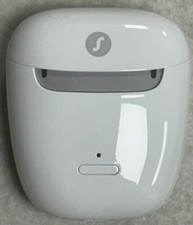
Physical Design- Two charging bays
- LED charging indicators
- UV cleaning status light
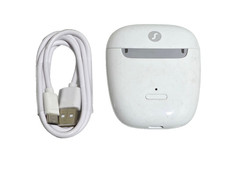
- USB power input
- Hinged protective lid
LED Indicator MeaningsThe charger uses LEDs to communicate status.
Typical meanings include:
LED StatusMeaningBlinking greenCharging in progressSolid greenFully chargedWhite blinkingUV cleaning activeRed blinkingError or improper placementSome models use 1–3 LEDs to show approximate battery charge level percentages.
Compatible Hearing AidsCompatibility depends on the exact charger model.
Examples include:
- Pure Charge&Go
- Motion Charge&Go
- AX series
- IX series
- Certain RIC and BTE Signia devices
Not all Signia chargers work across every generation. Some newer models use different contact systems.
Always verify:
- Hearing aid model
- Charger generation
- Contact style
before purchasing a replacement charger.
Daily Use InstructionsBasic operation- Connect charger to power
- Open lid
- Insert hearing aids correctly
- Close lid
- Charging + drying + UV cleaning begin automatically
Best practices- Wipe hearing aids before charging
- Keep charging contacts clean
- Close lid fully during UV cleaning
- Store charger in dry indoor environment
- Avoid extreme heat or humidity
Cleaning and MaintenanceRecommended care- Use soft dry cloth only
- Keep charging contacts free of wax/oil
- Avoid alcohol unless manufacturer approves
- Never immerse charger in water
Users online often report charging problems caused by:
- Dirty contacts
- Moisture buildup
- Poor seating alignment
Common ProblemsHearing aids not chargingPossible causes:
- Dirty charging contacts
- Improper placement
- Defective cable/power supply
- Moisture contamination
Red blinking LEDsUsually indicates:
- Charging error
- Device not seated correctly
- Hearing aid malfunction
UV cleaning not startingOften caused by:
- Lid not fully closed
- Power interruption
- Incorrect placement
AdvantagesMajor benefits- Convenient all-in-one system
- Better hearing aid hygiene
- Reduced moisture damage
- Automatic operation
- Less daily maintenance effort
Especially useful for- Rechargeable hearing aid users
- Wanting simplicity
- Users in humid/sweaty environments
LimitationsThings to know- Works only with compatible Signia devices
- Requires power connection
- UV cleaning sanitizes surfaces only
- Not a substitute for professional servicing
Safety Information
Important precautions:
- Indoor use only
- Keep away from children/pets
- Do not cover ventilation openings
- Avoid damaged chargers
- Use approved power adapter only
UV-C light is enclosed for safety and should never be viewed directly outside intended operation.