Heat.net Store Home
|
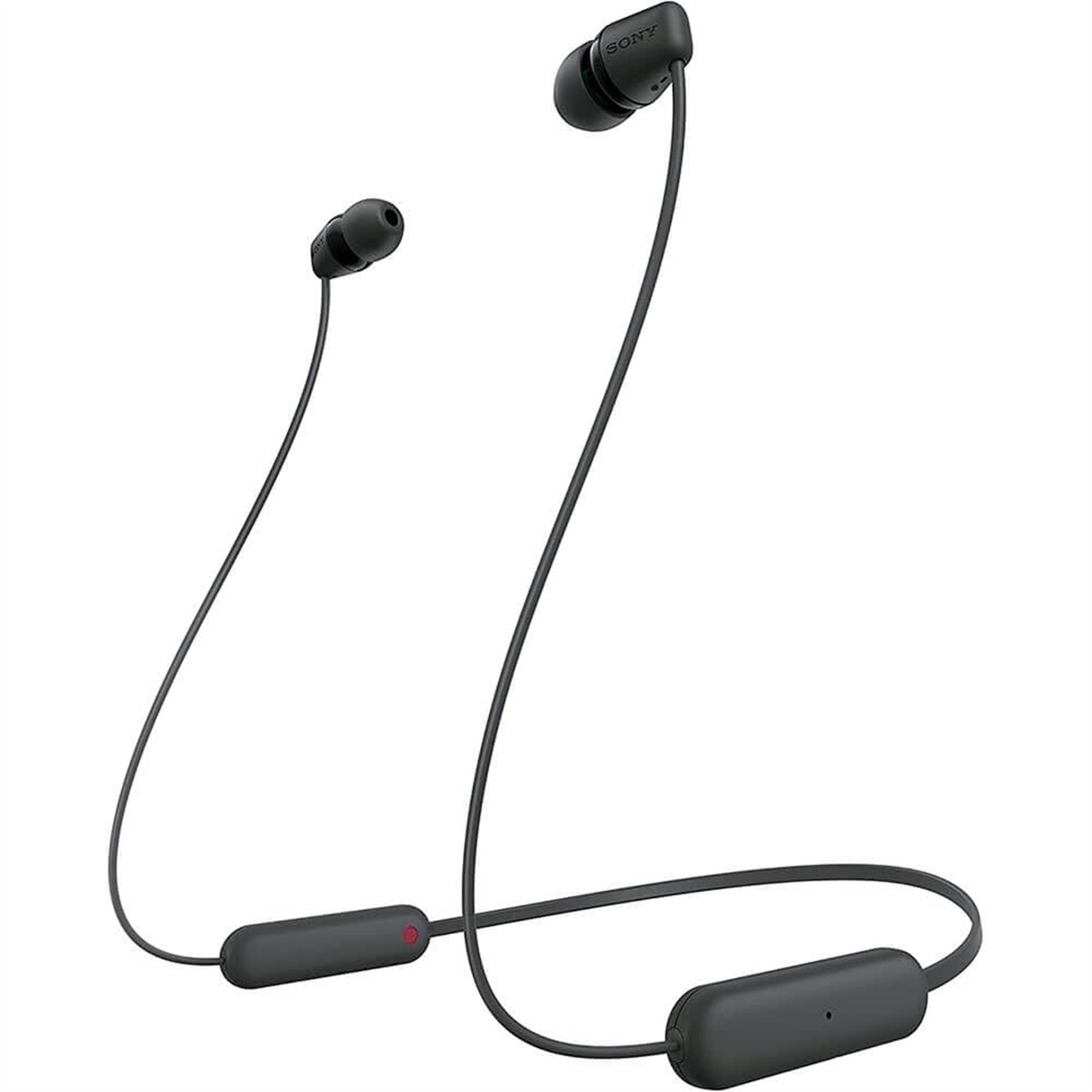
Sony WI-C100 Wireless Bluetooth Wirelessd HeadPhone - Black Openbox New For Sale

When you click on links to various merchants on this site and make a purchase, this can result in this site earning a commission. Affiliate programs and affiliations include, but are not limited to, the eBay Partner Network.

Sony WI-C100 Wireless Bluetooth Wirelessd HeadPhone - Black Openbox New:
$18.99
Experience immersive audio with the Sony WI-C100 Wireless Bluetooth In-Ear Headphones in black. These headphones feature a wireless design, Bluetooth 5.0 connectivity, a 33-foot operating range, waterproof construction, and a lightweight design for enhanced portability. These headphones also come with an adjustable headband, USB Type-C input, and studio-style design. Details - Type: In-Ear
- Connection Type: Wireless
- Adjustable Headband; Waterproof
- Weight: 0.04 lbs
Specifications General Information - Headphone Features: Adjustable Headband, Waterproof
- Headphone Connection Types: Bluetooth
- Model Number: WI-C100
- Item Dimensions - H x W x D (IN): 0.75 x 1.20 x 30.50
- InputsAndOutputs: USB Type-C
- Color - Exact: Black
- Operating Range (FT): 33
- Headphone Style: Studio
- InputOutputQuantity: 1
- Bluetooth Compatibility: 5.0
- Wired or Wireless: Wireless
- Headphone Type: In-Ear
- Item Weight (LBS): 0.04
- Color - Generic: Black
Package Contents - Sony WI-C100 Wireless In-Ear Headphones
- 3 x Pair of Different-Sized Eartips
Warranty Return Policy If you are not 100% satisfied with your purchase and/or if the item(s) received do not match the description provided, you can return your order for a full refund or replacement within 30 days from the date of purchase. Customer Service If you have any questions about an item, our policies or need help placing an order feel free to contact us. 37758 📱 Product Information 🔓 UnlockStatus 🛡️ WarrantyCoverage Backed by 1-Year Allstate Warranty. If your item breaks or malfunctions, you’re protected with repair, replacement, or reimbursement options. More info: Refurbished Warranty Program. 📦 Packaging& Quality Control Devices are tested, cleaned, and graded before shipping. Securely packaged to ensure safe delivery. Quality Control Approved & Labeled – All IMEIs recorded for security. 📌 IncludedAccessories 🚚 Shipping& Handling Handling Time: Orders ship within 24 hours of payment clearance (Mon–Fri). Orders placed by 9:00 AM CST usually ship the same day. Delivery Time: 2–3 business days after dispatch. Expedited shipping options available at checkout. High-value items may require a signature upon delivery. No PO Box Shipping – Please provide a physical residential or business address. 💳 Payments 🔄 Returns &Replacements Start a return via My > Purchase History > Return Item. You may upload up to 10 photos to document condition. A prepaid return shipping label will be provided within 24–48 hours. Returns are processed within 24–48 hours of receipt (excluding weekends/holidays). Replacement/Exchange: Offered based on stock availability. Please include a note if requesting a replacement. Important: Remove any iCloud, Google, or Samsung accounts before returning. Failure to do so may result in restocking fees. 🔑 AccountRemoval Instructions iCloud (Apple) Go to iCloud.com → Sign in. Open Find My iPhone → Select All Devices. Select the device → Click the small “x” to remove.
⚠️ Do not erase the device—remove it properly so it can be reused. Google Account(Android) Open Settings > Passwords & Accounts. Select the account → Remove Account. Confirm with your device PIN, password, or Go to Settings > Accounts and Backup > Manage Accounts. Select your Samsung account → Remove Account. Enter your password and sign out. 🔄 DeviceReset Instructions iPhone HardReset Press & release Volume Up. Press & release Volume Down. Press & hold Side Button until Apple logo appears. AndroidFactory Reset Go to Settings > General Management > Reset. Select Factory Data Reset. Confirm and reset device. ⌚ AppleWatch Pairing Guide Press & hold the side button on your Apple Watch until the Apple logo appears. Hold your iPhone near the Apple Watch. Tap Continue on your iPhone → Set Up for Myself. If pairing doesn’t start, open the Watch App → Start Pairing. Use your iPhone camera to scan the Apple Watch screen. 📩 ContactUs We’re here tohelp! Please contact us via Messages: Go to My > Purchase History. Find your order → Select More Actions > Contact Seller. Send us a message.
⏱️ Response Time: Within 24 hours on weekdays. Thank you forchoosing Tech4C LLC – We appreciate your business!
|
|
Other Related Items:
Related Items:
Sony WI-C100 Wireless Bluetooth Wirelessd HeadPhone - Black Openbox New $18.99
Sony WI-C100 Wireless in-Ear Bluetooth Headphones with Built-in Microphone,Black $23.00
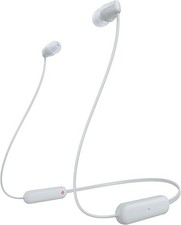
Sony WI-C100 Wireless in-Ear Bluetooth Headphones with Built-in Microphone,White $23.00
|