When you click on links to various merchants on this site and make a purchase, this can result in this site earning a commission. Affiliate programs and affiliations include, but are not limited to, the eBay Partner Network.
Overview
The OBD diagnostic system is widely used to assist technicians in vehicle diagnostics and maintenance. Communication issues may occur due to differences in vehicle configurations, diagnostic connector implementations, or compatibility between the vehicle and diagnostic equipment.
Common diagnostic information available through the OBD system includes communication status, diagnostic trouble codes (DTCs), warning indicator status, vehicle operating data, and other ECU information.
General OBD Diagnostic Procedure
Enter the vehicle information and identify the vehicle to be diagnosed.
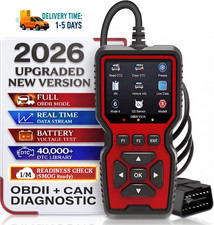
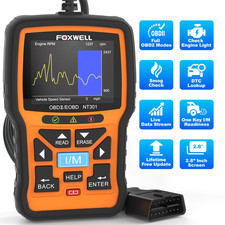
Locate the vehicle\'s OBD diagnostic connector and connect a compatible diagnostic scan tool.
Turn the ignition switch to the ON position without starting the engine. During this stage, the instrument cluster performs a normal self-check sequence.
Start the engine and establish communication between the diagnostic tool and the vehicle\'s electronic control units (ECUs).
The diagnostic tool retrieves available vehicle information, such as diagnostic trouble codes (DTCs), communication status, warning indicator information, operating parameters, and other ECU data. The retrieved information may assist technicians during vehicle diagnosis and maintenance.
After the diagnostic session is complete, switch off the ignition and disconnect the diagnostic tool safely.
Note: Diagnostic procedures and available data may vary depending on vehicle manufacturer, model year, ECU configuration, and regional regulations.