When you click on links to various merchants on this site and make a purchase, this can result in this site earning a commission. Affiliate programs and affiliations include, but are not limited to, the eBay Partner Network.
READ BEFORE YOU BUY - COMPATIBILITY CHECK
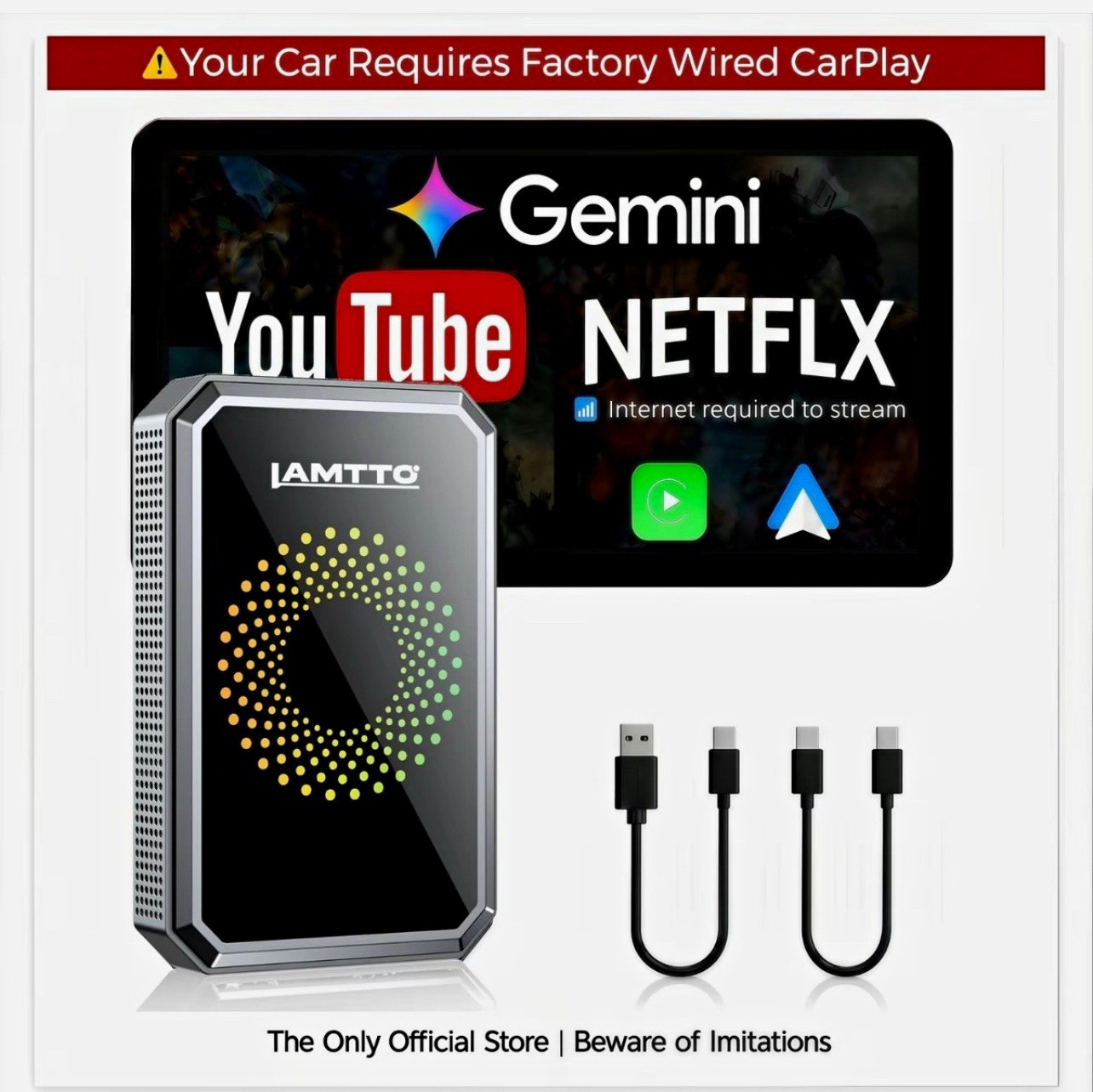
INTERNET (HOTSPOT/WiFi) IS REQUIRED to stream Netflix, YouTube & TikTok. Make sure you can share your phone's hotspot before purchasing.
** GEMINI AI ** - YOUR CAR'S NEW CO-PILOT
Tap the mic. Ask for stories, podcasts, trivia, jokes, or set a reminder. It talks back, hands-free. Keeps you company on the road without taking your eyes off the wheel.
Just press and talk. That's it.
Units shipped after July 23, 2026 come with Gemini Al built in.
COMPATIBLE VEHICLES:
Vehicles with WIRED Apple CarPlay (iPhone users)
Vehicles with WIRED Android Auto (Android users)
Touchscreen display required
NOT COMPATIBLE - DO NOT BUY IF YOU HAVE:
Tesla Referral (all models)
BMW (all models)
2024 Kia Sorento
2019 CX-5 (Mazda Sport)
2024 Trax (all models)
2026 Honda Accord
Dodge Charger
Vehicles with WIRELESS CarPlay/Android Auto
Vehicles WITHOUT Auto vehicles
HOW TO CHECK YOUR CAR:
• Look for "Apple CarPlay" or "Android Auto" in your car's system menu
@OR Check if you need to PLUG IN your phone to use CarPlay/AA
If your phone connects wirelessly, this product is NOT compatible
Not sure? DM us your car model and which product you're looking at — we'll help you check.
[How to connect? )
Plug the adapter into your car's USB port.
Check your car's settings — see if CarPlay or Android Auto is on.
If CarPlay is on just pair via Bluetooth.
If Android Auto is on switch adapter mode first:
• Find the pin needle in the box.
Insert into the reset hole.
Press and hold for 3-5 seconds until the light turns from GREEN to BLUE.
• Then pair via Bluetooth.
That's it.
Back to top
FOR WIRED ANDROID AUTO VEHICLES - MODE SWITCH REQUIRED:
Find the PIN needle in the box
Insert into the reset hole on the adapter
Press and hold for 3-5 seconds until the light changes from
GREEN to BLUE
Then pair via Bluetooth — this step is MANDATORY for Android
Auto vehicles
TRANSFORM YOUR CAR INTO AN ENTERTAINMENT...
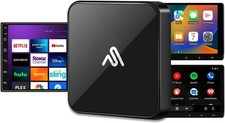
LAMTTO 2026 Android CarPlay Box - More than just a wireless adapter!
Note: Streaming features require internet connection (phone hotspot or WiFi). Hotspot data usage applies.
WATCH VIDEOS ON YOUR CAR SCREEN:
Built-in Android 12 system
Pre-installed Netflix, YouTube, TikTok
Stream on your car's display during breaks
Perfect for road trips and waiting in the car
Requires phone hotspot or WiFi • Login with your own accounts
WIRELESS CONNECTION:
Wireless Apple CarPlay (iPhone)
Wireless Android Auto (Android)
Quick reconnect after first-time setup — most cars auto-connect on next start
No more cable plugging!
- most cars auto-
ESCREEN MIRRORING:
Mirror your phone screen to car display
Supports navigation apps and some media apps
Note: Screen mirroring availability depends on your vehicle. DRM-protected content (Netflix, Disney +) may display as black screen due to copyright restrictions — this is a platform-side limitation, not a device defect.
Your phone and the car screen must be connected to the same network for screen mirroring to work. That means the car screen needs to join your phone's hotspot.
HDMI Entertainment for Road Trips
This device with HDMI output connects easily to your car headrest monitor, keeping kids and rear passengers entertained on drives, trips and daily commutes. Enjoy movies, cartoons and media on a big screen for a better in-car experience.
!IMPORTANT PERFORMANCE NOTES:
Touch-screen headrest monitor required(for HDMI use)
RC23 adapter requires extra power supply when using HDMI
output
HDMI cable not included, sold separately
Internet connection required for all streaming: connect your phone's hotspot or nearby WiFi before opening video apps. Login with your own Netflix/YouTube/TikTok account.